
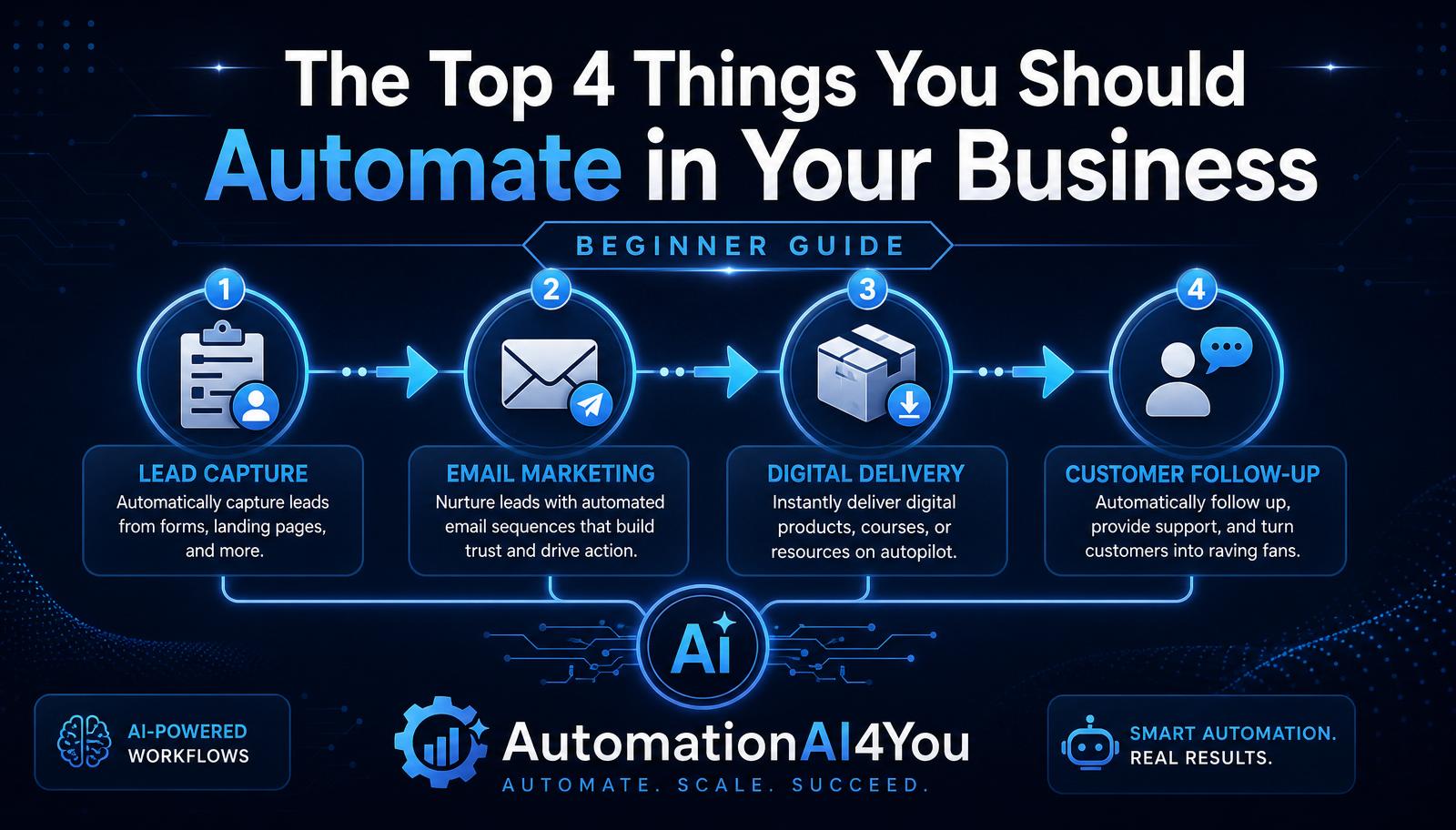
Why You Shouldn't Automate Everything at Once
Automation multiplies whatever process you already have. If the process is solid, automation makes it faster and more consistent. If the process is broken, automation just breaks it at scale.
Start by automating the tasks you already do reliably by hand. If you can walk a friend through the steps of how you capture leads and send a welcome email, you're ready to automate it. If you can't, fix the process first.
Automation #1: Lead Capture
Every online business starts with turning visitors into subscribers. Automating lead capture means every visitor who wants your lead magnet is added to your list, tagged correctly, and starts your welcome sequence — without you lifting a finger.
In Systeme.io, this is a landing page + opt-in form + tag on submission. The tag is what makes every future automation possible, so never skip it.
Automation #2: Email Follow-Up
The first 5–10 days after someone joins your list are the highest-trust window you'll ever have with them. Automating email follow-up ensures every new subscriber gets your best content in the right order — even if 500 people sign up on the same day.
A simple welcome sequence (deliver the lead magnet, introduce yourself, teach one idea, share a story, make a soft recommendation) is enough. You can layer behavior-based follow-ups later.
Automation #3: Digital Product Delivery
If you sell (or give away) any digital product — a PDF, course, template, or checklist — automate the delivery. The customer should get the file within seconds of buying or subscribing, at any hour of the day.
Inside Systeme.io, this is a file upload + an email that links to it, triggered by the tag applied on purchase or signup. Test it with a spare email before going live.
Automation #4: Customer Onboarding & Follow-Up
Once someone buys or subscribes, don't leave them stranded. A short onboarding sequence — a thank-you message, quick-start instructions, a check-in a few days later — makes customers feel taken care of and dramatically reduces refunds and support questions.
The same automation can nudge non-buyers too: a friendly follow-up email a week after they downloaded the lead magnet, asking what they'd like to learn next, produces some of the best replies you'll ever get.
Choosing Your First Automation
If you're starting from zero, build lead capture first. It's the foundation everything else depends on and it starts collecting subscribers immediately.
If you already have a landing page but no follow-up, build the welcome email sequence next. If you already send email but deliver products manually, automate delivery. Fix the biggest bottleneck first — not the shiniest one.
Measuring Results
Every automation needs a number attached to it. For lead capture, watch opt-in rate. For email follow-up, watch open rate and click-through rate. For product delivery, watch delivery time and support tickets. For onboarding, watch refund rate and reply rate.
Numbers are how you know whether an automation is helping or quietly failing. Check them at least once a month.
Common Beginner Mistakes
The biggest mistake is building six automations before finishing one. A half-built welcome sequence connected to a half-built lead-capture page connected to a half-built product delivery is worse than one finished workflow.
Other frequent mistakes: forgetting to tag contacts on entry, never testing the flow end-to-end, and setting up complicated behavior-based sequences before validating that the simple version works.
Knowledge Check
Before moving on, make sure you can answer these:
• What are the four recommended automation areas? • Why should you automate lead capture first? • How does automation improve consistency? • Why is it important to measure automation results?
Action Challenge
Pick one of the four automations above — the one that would save you the most time this week — and build the simplest possible version of it. Not perfect, not fancy. Just live, tested, and running.