
What Is Systeme.io?
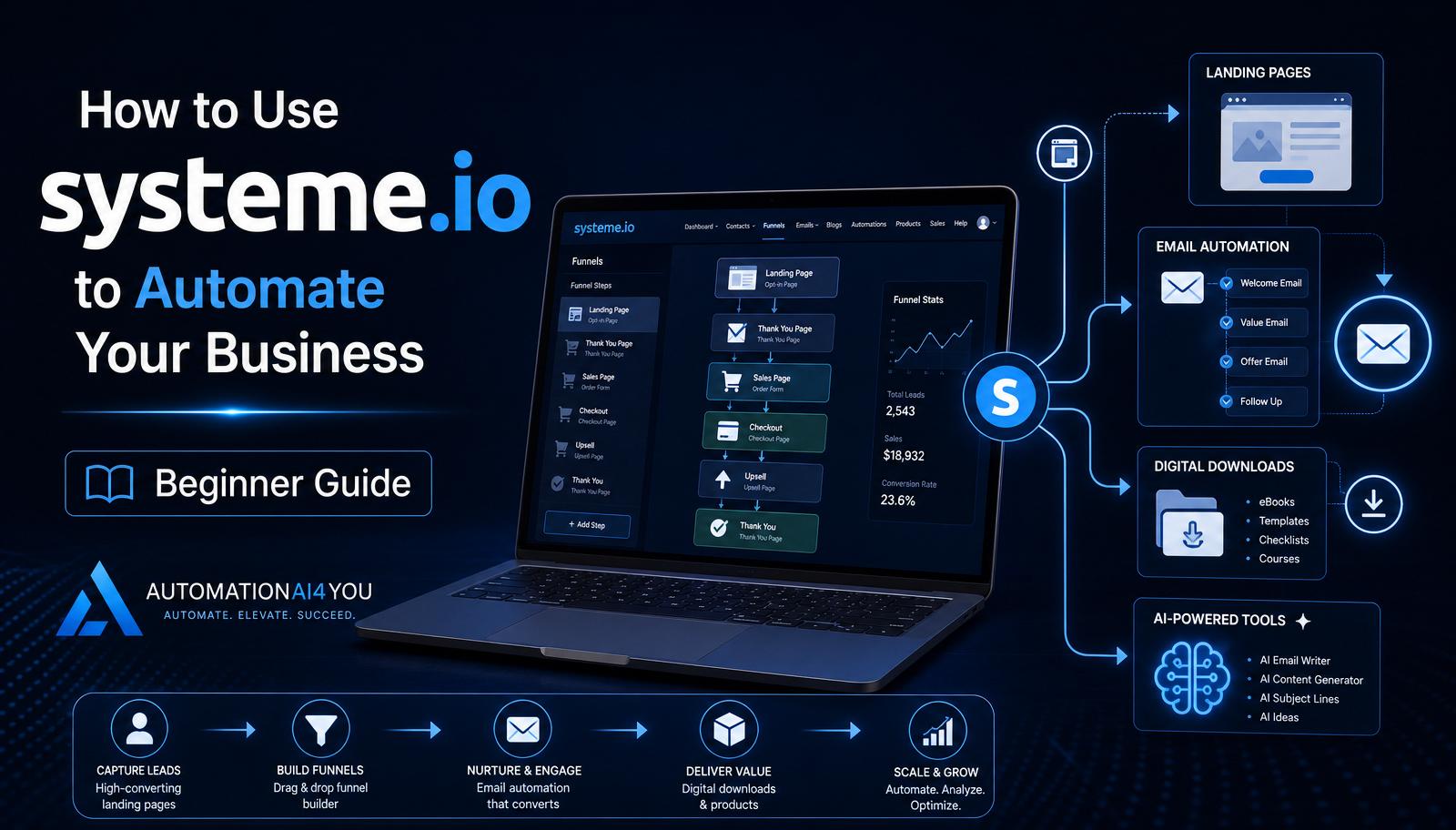
Systeme.io is an all-in-one online business platform. Inside a single account you can build landing pages, host email sequences, sell digital products, host courses, run affiliate programs, and automate workflows based on subscriber behavior.
For beginners, that means you don't have to duct-tape five services together. Everything triggers everything else natively — a form on a page adds a contact, tags them, and starts an email automation in one click.
Why Beginners Love Systeme.io
The free plan supports up to 2,000 contacts, unlimited emails, three funnels, and one automation rule — enough to run a real beginner business without paying a cent for months.
Just as important, the interface is beginner-friendly. Drag-and-drop page builder, plain-English automation rules, and simple email editors mean you can focus on the marketing instead of fighting the software.
Creating Your First Landing Page
Inside Systeme.io, choose Funnels → Build a funnel → Build an audience. Pick a squeeze-page template, then use the visual editor to swap in your headline, subheadline, and hero image.
Keep the page focused: one headline, one benefit-driven subheadline, one image or mockup, and one email form. If a section doesn't move a visitor closer to signing up, delete it.
Connecting an Email Form
The opt-in element on the page is already wired to your Systeme.io contact list — no external integrations required. Click the form, choose which tag to apply on signup, and set the redirect page (usually your Thank You page).
The moment a visitor submits their email, they become a contact, get tagged, and are eligible to trigger any automation you've built around that tag.
Building an Automated Email Campaign
In the Emails → Campaigns section, create a new campaign and add emails one at a time. A solid starter sequence looks like this: Email 1 delivers the lead magnet, Email 2 introduces you, Email 3 teaches one useful idea, Email 4 shares a case study or story, Email 5 makes a soft recommendation.
Space them roughly one per day. You can always adjust timing and length later once you see how your audience responds.
Delivering Your Lead Magnet Automatically
Upload your PDF (or any file) into Systeme.io's file manager and copy its share link. In Email 1 of your campaign, add a button or link that points to that URL.
Now every new subscriber gets the download instantly — no manual sending, no forgotten leads. Test it end-to-end by subscribing with a spare email address before you announce the page.
Creating a Simple Sales Funnel
A beginner funnel in Systeme.io usually has three pages: a landing page (opt-in), a thank-you page (confirms the download), and optionally a soft-sell page recommending a tool or product.
Once your opt-in works, you can layer more steps later — but resist the urge on day one. A simple three-page funnel that actually converts beats a ten-page funnel that never launches.
Organizing Contacts with Tags
Tags are how Systeme.io tracks what each contact cares about. Every opt-in form should apply a tag (like 'Starter Kit') so you always know where a subscriber came from.
Later, you can add tags based on behavior — 'Clicked Tool Recommendation,' 'Opened Case Study,' 'Purchased' — and use those tags to trigger more targeted follow-ups.
Connecting AI Tools to Systeme.io
You don't need a Zapier subscription on day one. Use AI tools like ChatGPT to draft your welcome emails, generate landing page copy variations, and brainstorm subject lines, then paste the polished versions directly into Systeme.io.
As you grow, Systeme.io's built-in API and native integrations let you connect AI-powered assistants, chatbots, or content generators to trigger emails and tags automatically.
Common Beginner Mistakes
The most common mistake is adding tools before you've mastered the core features. Systeme.io alone can run your entire beginner business — you don't need external autoresponders, funnel builders, or course platforms yet.
Other frequent mistakes: forgetting to test the opt-in end-to-end, using a generic 'Subscribe' button instead of a benefit-driven CTA, and setting up five funnels before finishing one.
Knowledge Check
Before moving on, make sure you can answer these:
• What can Systeme.io automate? • Why are tags useful? • What happens after someone submits your opt-in form? • Why should beginners keep their first funnel simple?
Action Challenge
Log in to Systeme.io (free plan is fine), create one landing page, connect an email form with a 'Starter Kit' tag, and send yourself a test email. Getting one working funnel live is worth more than reading ten more tutorials.